If you previously installed Aveola on your iOS device but later uninstalled it, you can re-download it from the App Store.
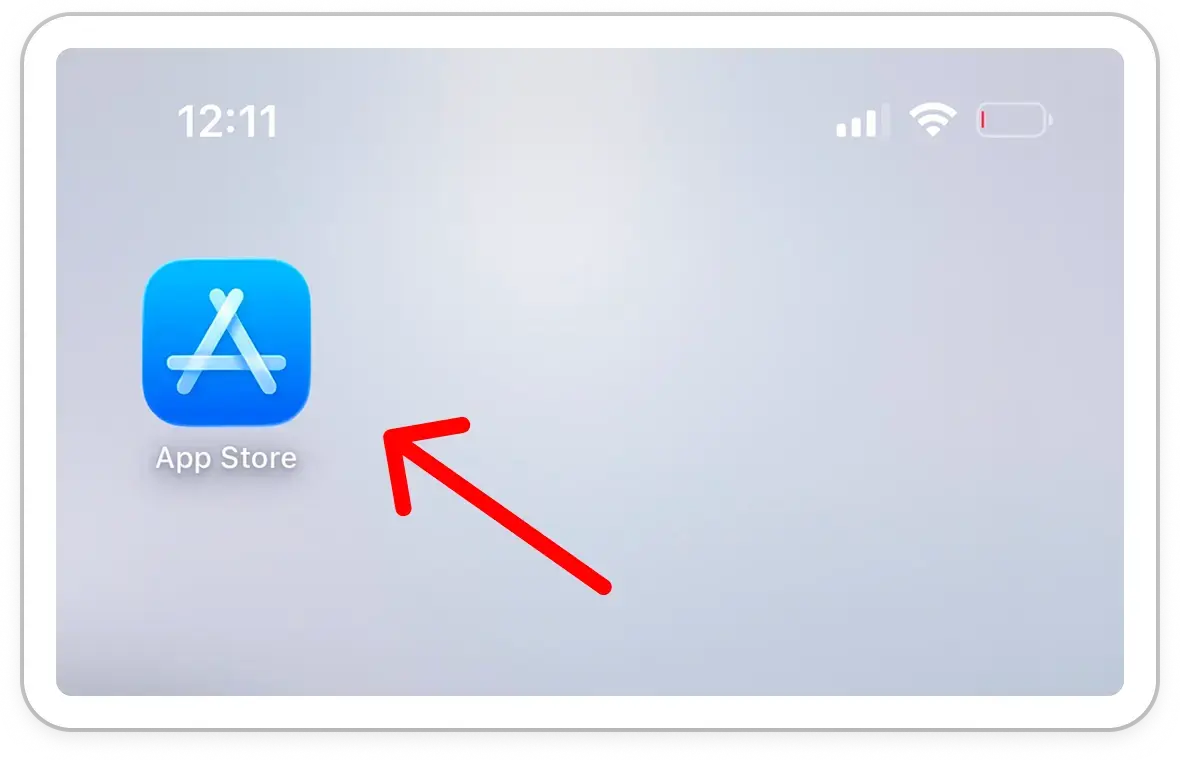
Access the App Store on your iOS device.
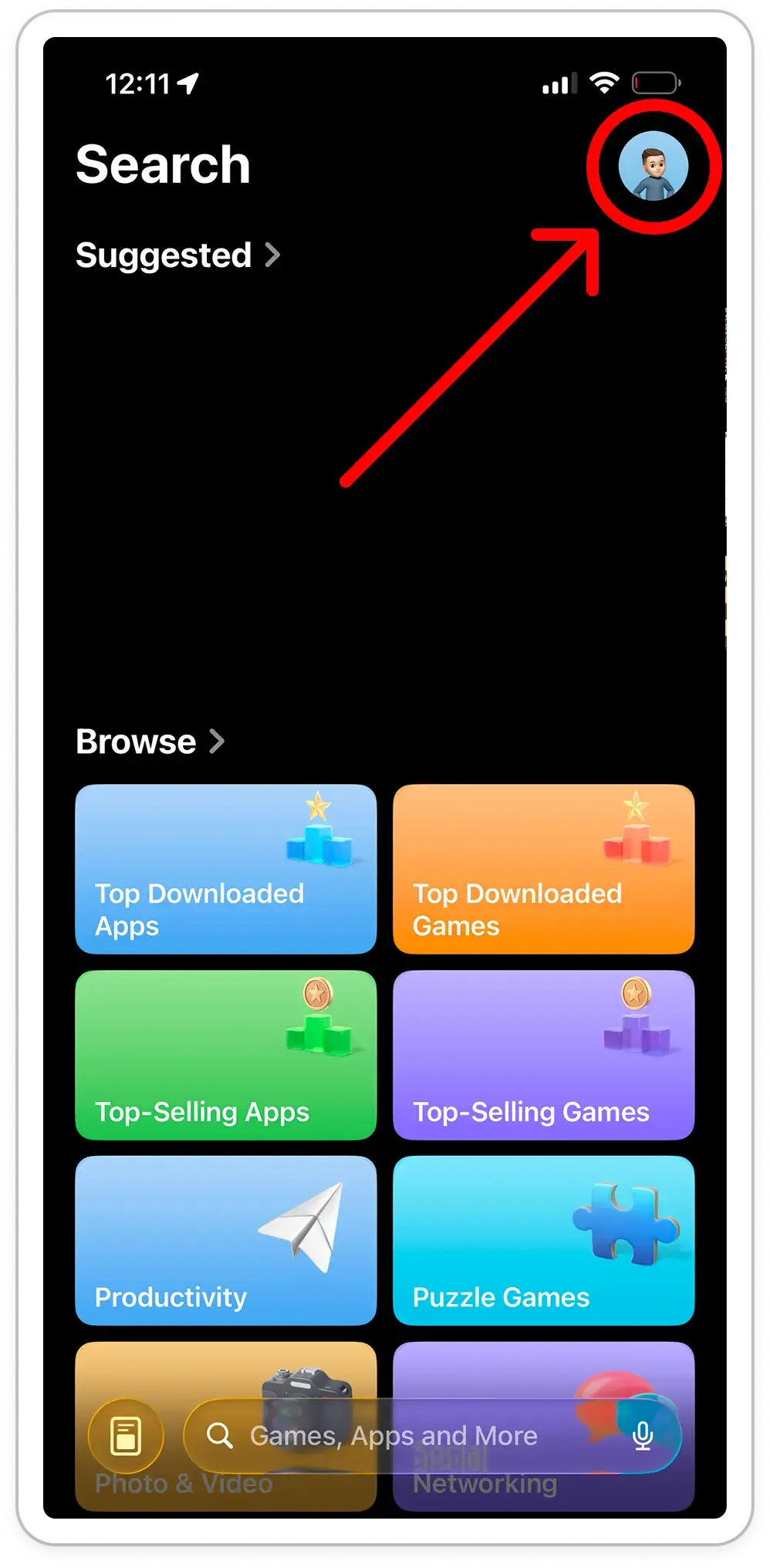
Tap your profile picture in the top-right corner of the screen.
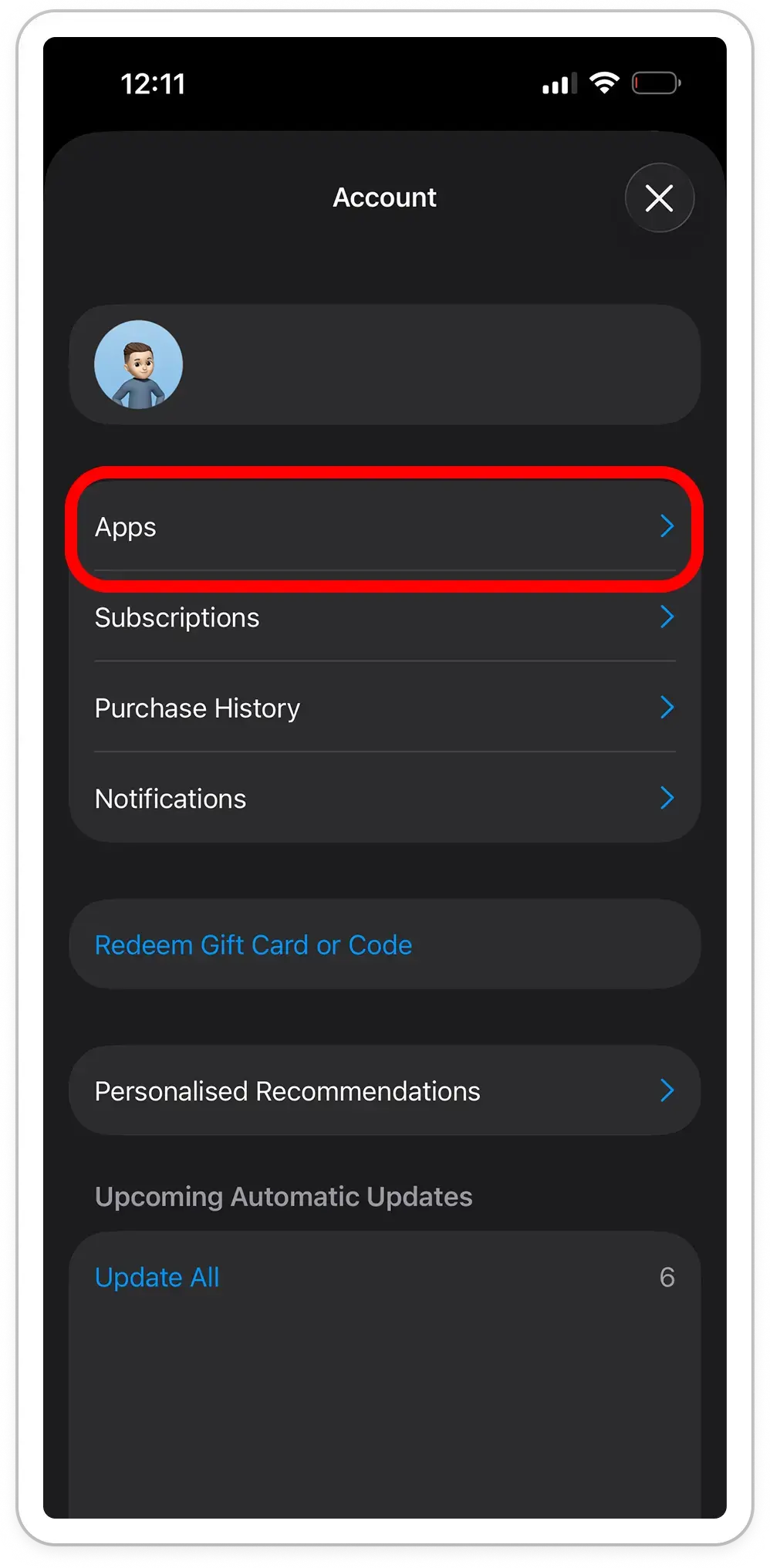
Navigate to 'Apps'
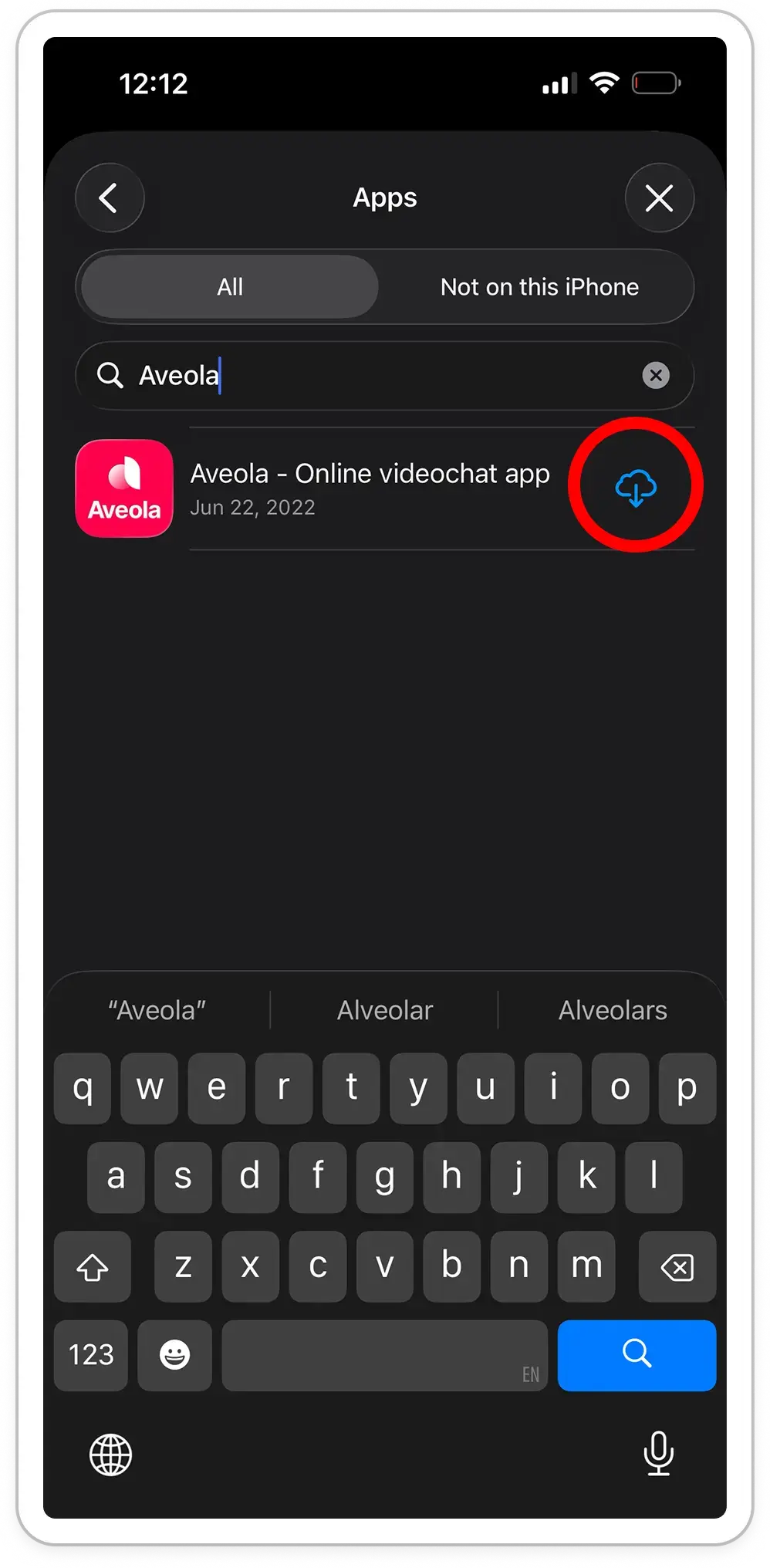
Tap the 'Reinstall' button next to Aveola.
After installation, open Aveola and follow the registration or sign-in process.
 Download App